
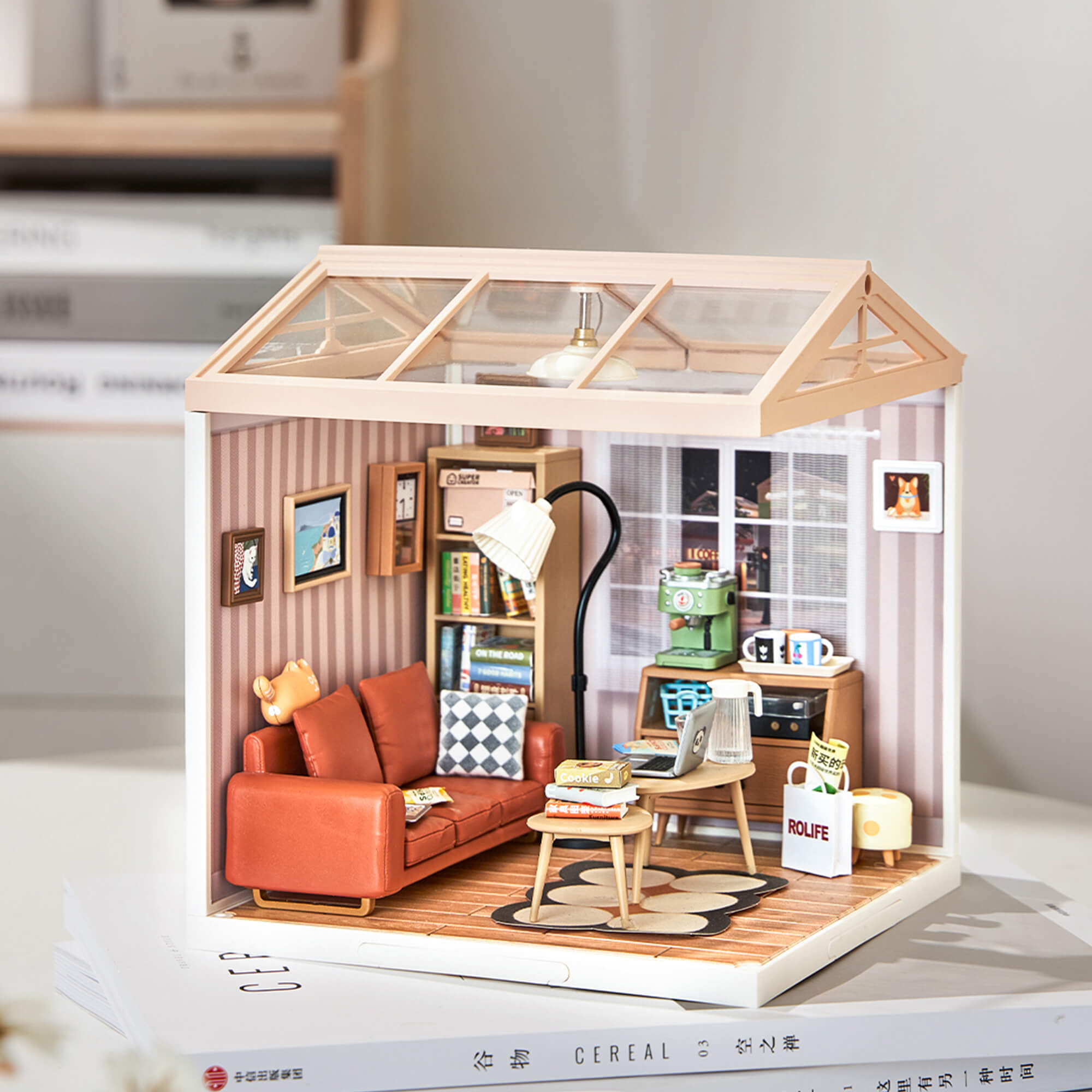
This guide explains how to connect the floor lamp wire to the power distribution box in the Rolife Super Creator Cozy Living Lounge DW007 miniature house kit.
Applies To
This instruction applies to the following Rolife Super Creator kit:
- Product name: Rolife Plastic Miniature House Cozy Living Lounge
- Model: DW007
- Series: Rolife Super Creator
- Lighting part: Floor lamp wire and power distribution box
Before You Start
Before connecting the lamp, make sure the lamp wire, power distribution box, and power source are ready. Handle the wire gently and avoid pulling it too hard, because miniature lighting wires are small and delicate.
How to Connect the Lamp
Follow the steps below to connect the DW007 floor lamp to the power source.
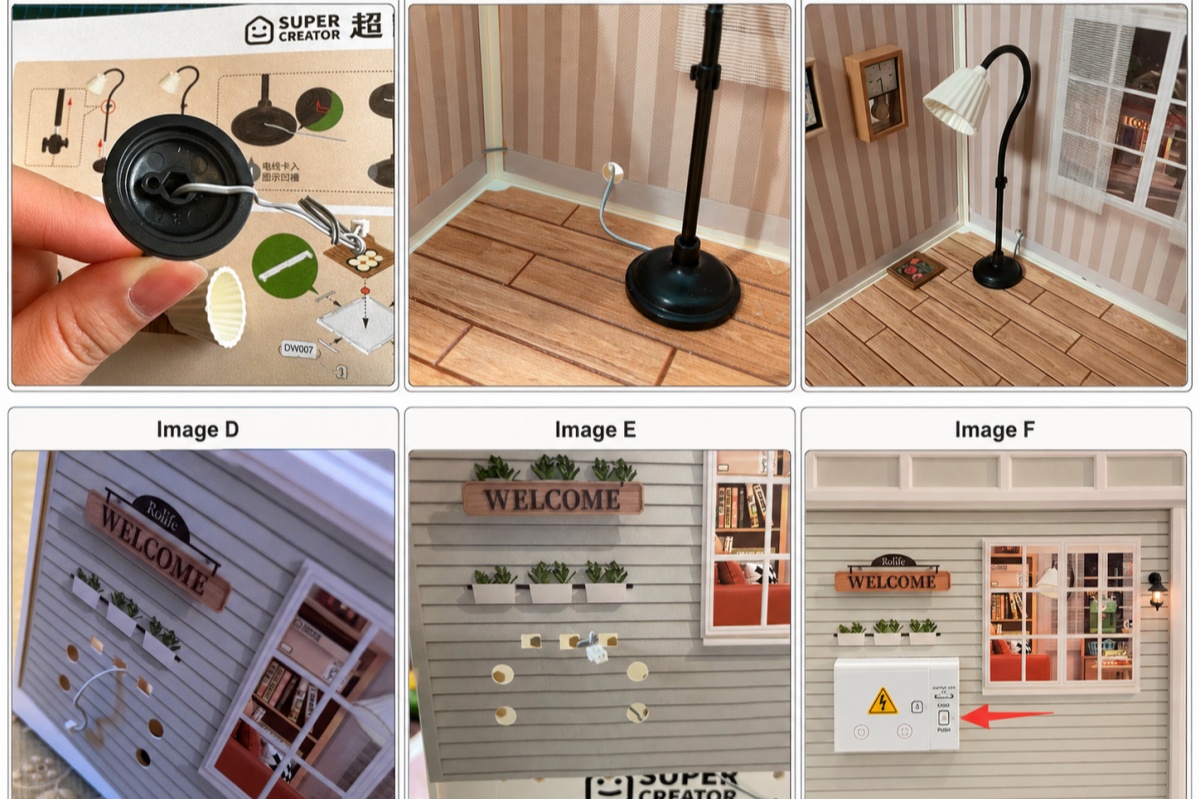
Step 1: Place the lamp wire into the groove
Turn the floor lamp over and gently press the lamp wire into the groove at the bottom of the lamp base. This helps keep the wire neat and prevents it from being pinched when the lamp is placed in the room.
Step 2: Install the lamp in the correct position
Place the floor lamp in the position shown in the instruction manual. Make sure the lamp stands firmly and the wire remains smooth under or behind the lamp base.
Step 3: Pass the wire through the small rear hole
Guide the lamp wire through the small hole on the back wall of the miniature room. Pull the wire gently from the back side so there is no loose wire left inside the room.
Step 4: Connect the lamp wire to the power distribution box
Insert the lamp wire into the matching port on the power distribution box. Make sure the connection is secure and properly aligned.
Step 5: Connect the power distribution box to the power source
After the lamp wire is connected to the power distribution box, connect the power distribution box to the power source according to the instruction manual. Then test the lamp before completing the final display.
If the Lamp Does Not Light Up
If the floor lamp does not turn on after connection, check the wire and power source before moving on to the final assembly steps.
- Make sure the lamp wire is fully inserted into the power distribution box.
- Check whether the wire is bent, pulled, or pinched.
- Confirm that the power distribution box is connected to the power source correctly.
- Check the battery or power source if your kit requires one.
- Review the lighting step in the instruction manual and reconnect the wire gently.
Safety Tips
Because the lamp wire is small, careful handling can prevent damage during assembly.
- Do not pull the lamp wire with force.
- Do not twist the connector while inserting the wire.
- Keep the wire away from sharp edges or tight pressure points.
- Test the light before sealing or finishing the final room display.
- If a part appears damaged, stop assembly and contact Rolife support.
Need More Help With DW007?
If your lamp still does not work after reconnecting the wire and checking the power source, contact Rolife customer support with your product name, model number DW007, and a photo of the connection area.
Frequently Asked Questions
How do I connect the lamp in Rolife Cozy Living Lounge DW007?
Secure the lamp wire into the groove under the lamp base, place the lamp inside the room, pass the wire through the rear wall hole, connect it to the power distribution box, and then connect the power box to the power source.
Where does the lamp wire go in DW007?
The lamp wire should sit in the groove under the lamp base, pass through the small rear hole in the back wall, and connect to the matching port on the power distribution box.
Should I test the lamp before finishing the room?
Yes. Test the lamp after connecting it to the power distribution box and power source. It is easier to fix a loose wire before the final display is completed.
What should I do if the DW007 lamp does not light up?
Check whether the lamp wire is fully inserted, whether the wire is bent or pinched, and whether the power distribution box is connected correctly. If the lamp still does not work, contact Rolife support with photos of the connection area.
Related Help Articles